

KNIME Secrets


Role
UX/UI Designer I Project Manager
Tools


OVERVIEW & CONTEXT
KNIME is a powerful data analytics software that enables users to process and manipulate data through a node-based workflow system.
It consists of two key components:
✔ KNIME Analytics Platform – where users create and execute workflows.
✔ KNIME Hub – an online portal for sharing, managing, and publishing workflows.
Users build workflows by connecting nodes to define data inputs, transformations, and outputs (e.g., charts, reports).
PROBLEM
KNIME workflows are easy to create and share through links.
These links are often shared among teams or published online, with no possibility of checking, removing and adding people that can have access to the data.
This creates a critical concern for sensitive information that could be could be accidentally exposed or manipulated with fraudulent intent.
How can we protect KNIME’s workflows and sensitive data?
SOLUTION
To address this, I developed KNIME Secrets: a multi-level security system designed to protect sensitive workflows from unauthorized access and unintended data leaks.
This system provides:
- Granular security controls at the User, Team, and Global levels.
- Seamless integration with existing KNIME workflows without disrupting usability.
- A centralized safety mechanism that ensures confidential data remains protected while maintaining workflow flexibility.
This project challenged me to balance usability, security, and technical feasibility, ensuring that KNIME Secrets not only protects user data but also integrates effortlessly into their existing workflows.
PROCESS & METHODOLOGY
1.
Research & User Insights
To ground my design decisions in real user needs, I:
✔ Observed user interactions to identify pain points and usability challenges.
✔ Engaged with users through the KNIME forum, gathering direct feedback on their security concerns.
✔ Consulted stakeholders to align on business and technical requirements.
✔ Analyzed industry standards, studying best practices in data protection and authentication systems to create a solution that balances security with ease of use.
2.
Wireframing & Prototyping
With a solid research foundation, I:
✔ Sketched initial wireframes, ensuring that the authentication flow was both secure and intuitive.
✔ Iterated based on testing and feedback, refining usability while keeping backend constraints in mind.
✔ Developed high-fidelity designs, optimizing accessibility and learnability.
3.
Implementation & Collaboration
To ensure seamless execution, I:
✔ Coordinated the teams, aligning development efforts with design goals.
✔ Worked closely with backend engineers, translating technical requirements into user-friendly experiences.
✔ Established a structured Figma system, organizing design files and documentation for clarity and scalability.
RESEARCH, PlANNING & COMMUNICATION
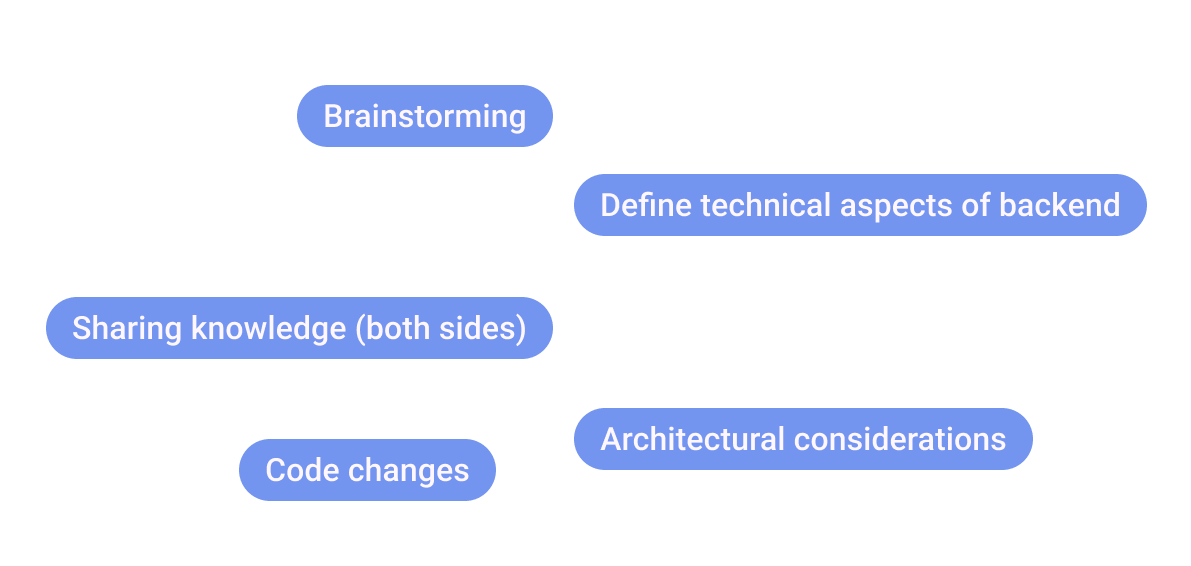
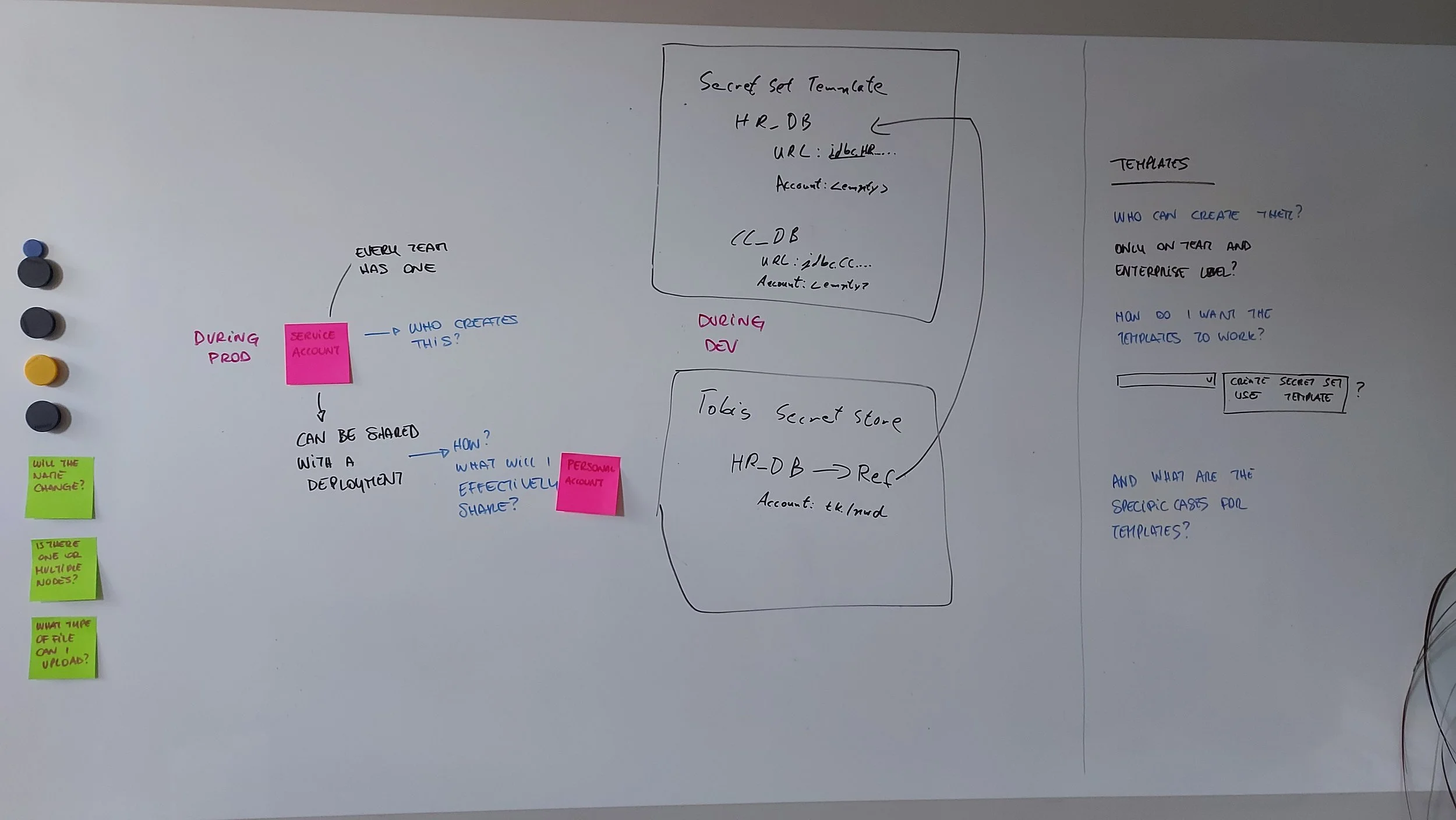
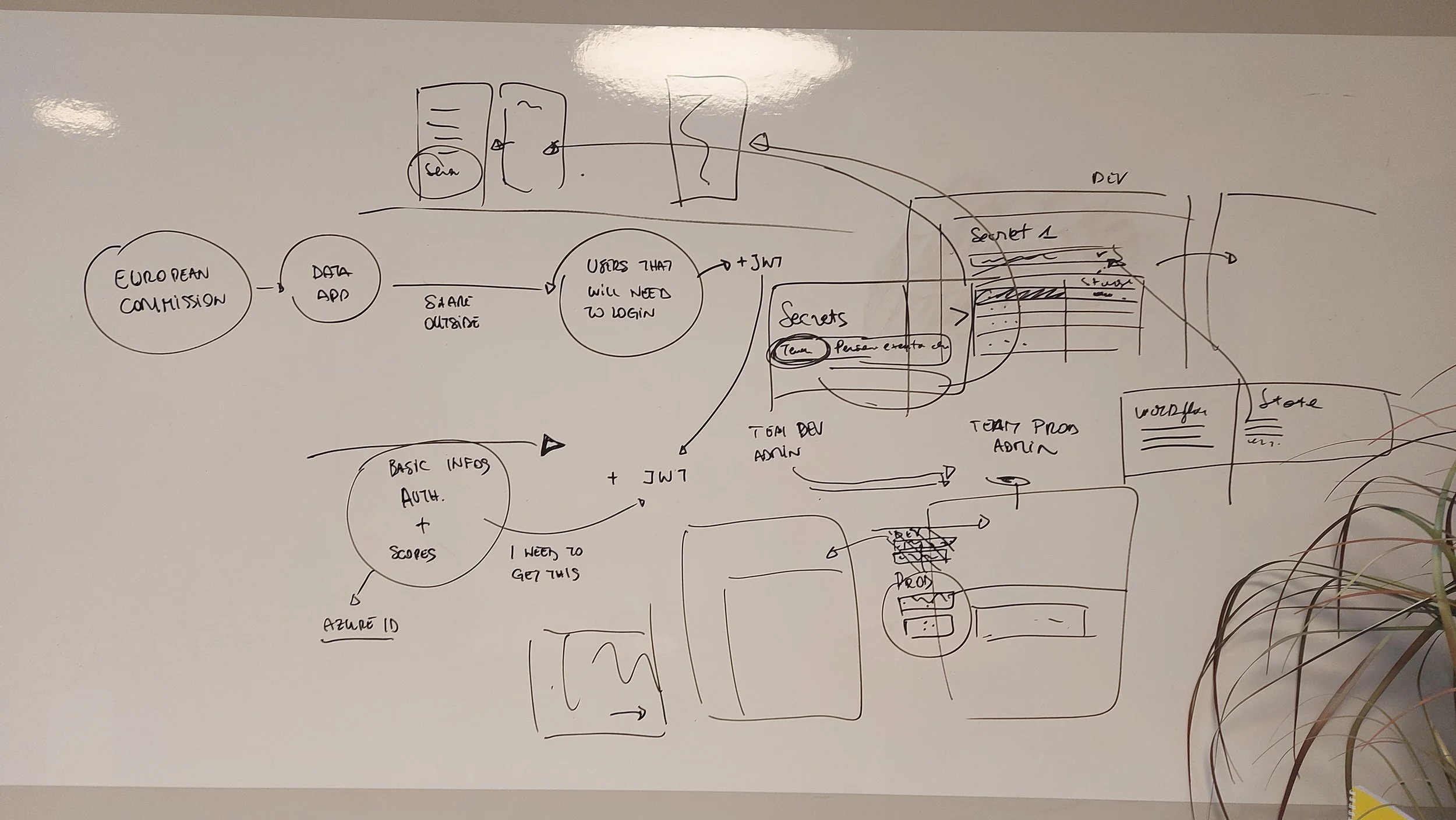
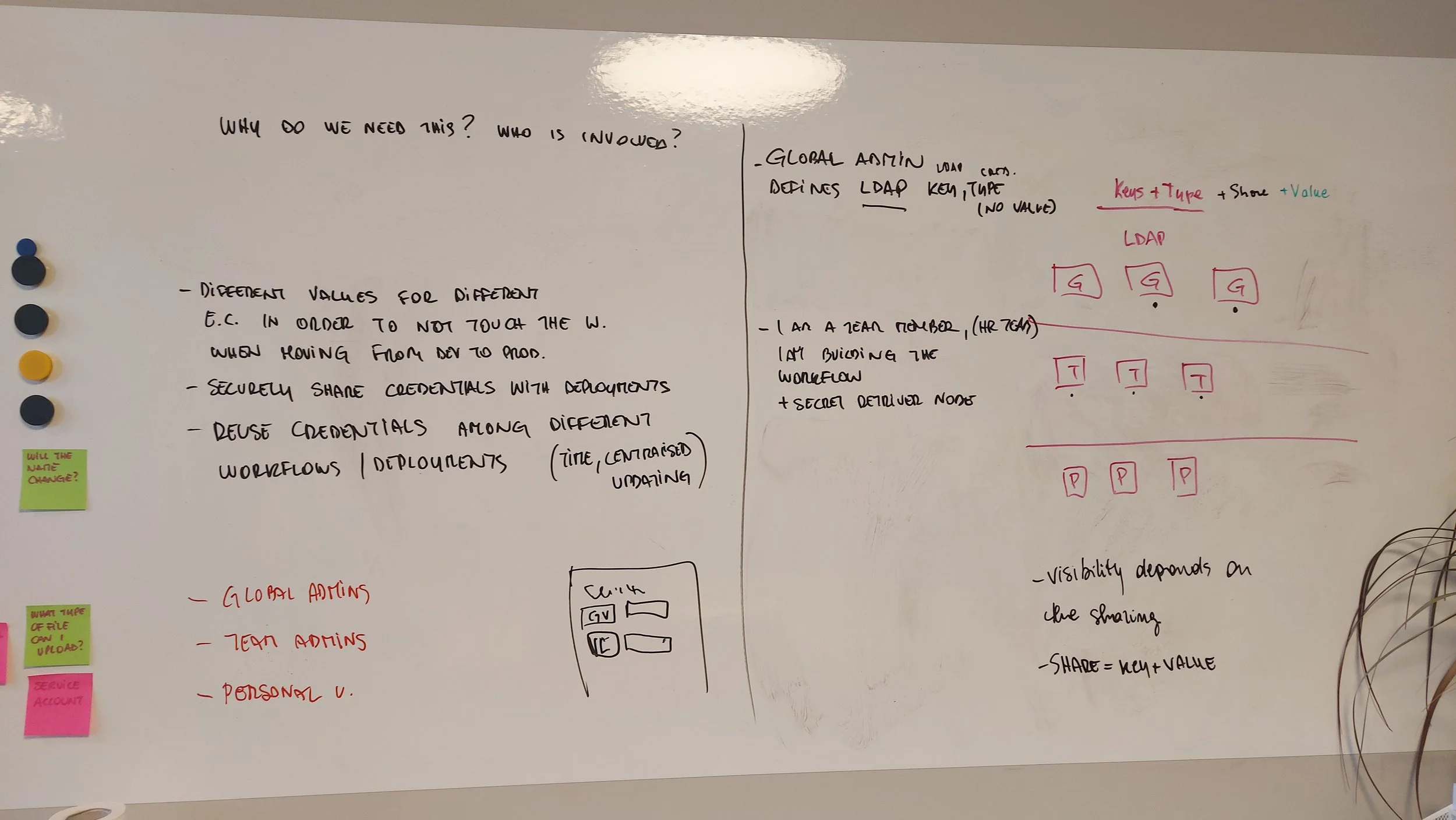
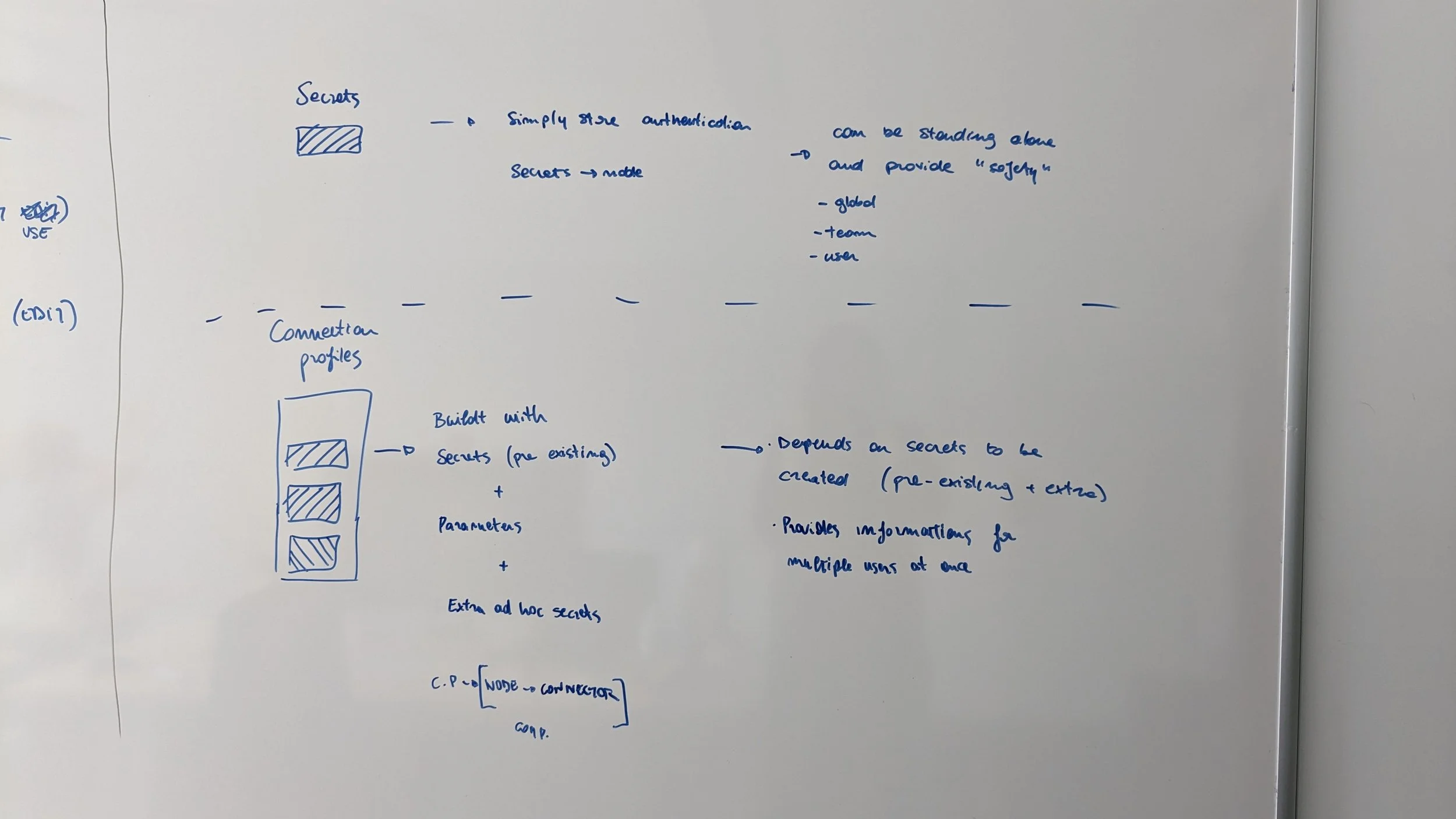
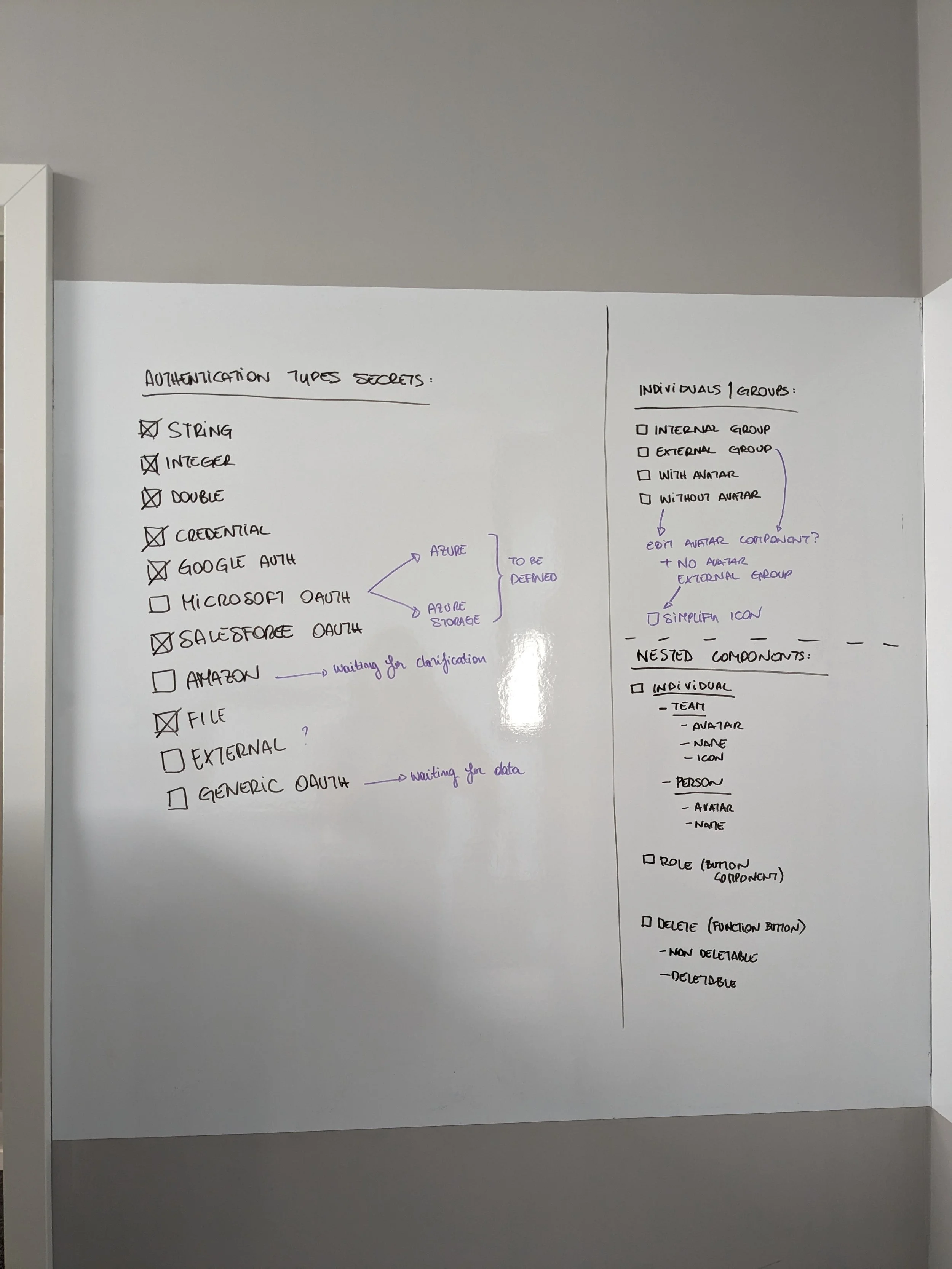
In addition to analysing industry standards and best practices, I established a clear visual communication system with the team. This was a very simple whiteboard + post it system, but it allowed us to ensure we didn’t miss on technical constraints and possibilities, as well as not compromise on keeping the product usable and accessible for all out users, while having a strategy to visualise abstract backend concepts and user needs.
IDEATION
Structure & Concept Development
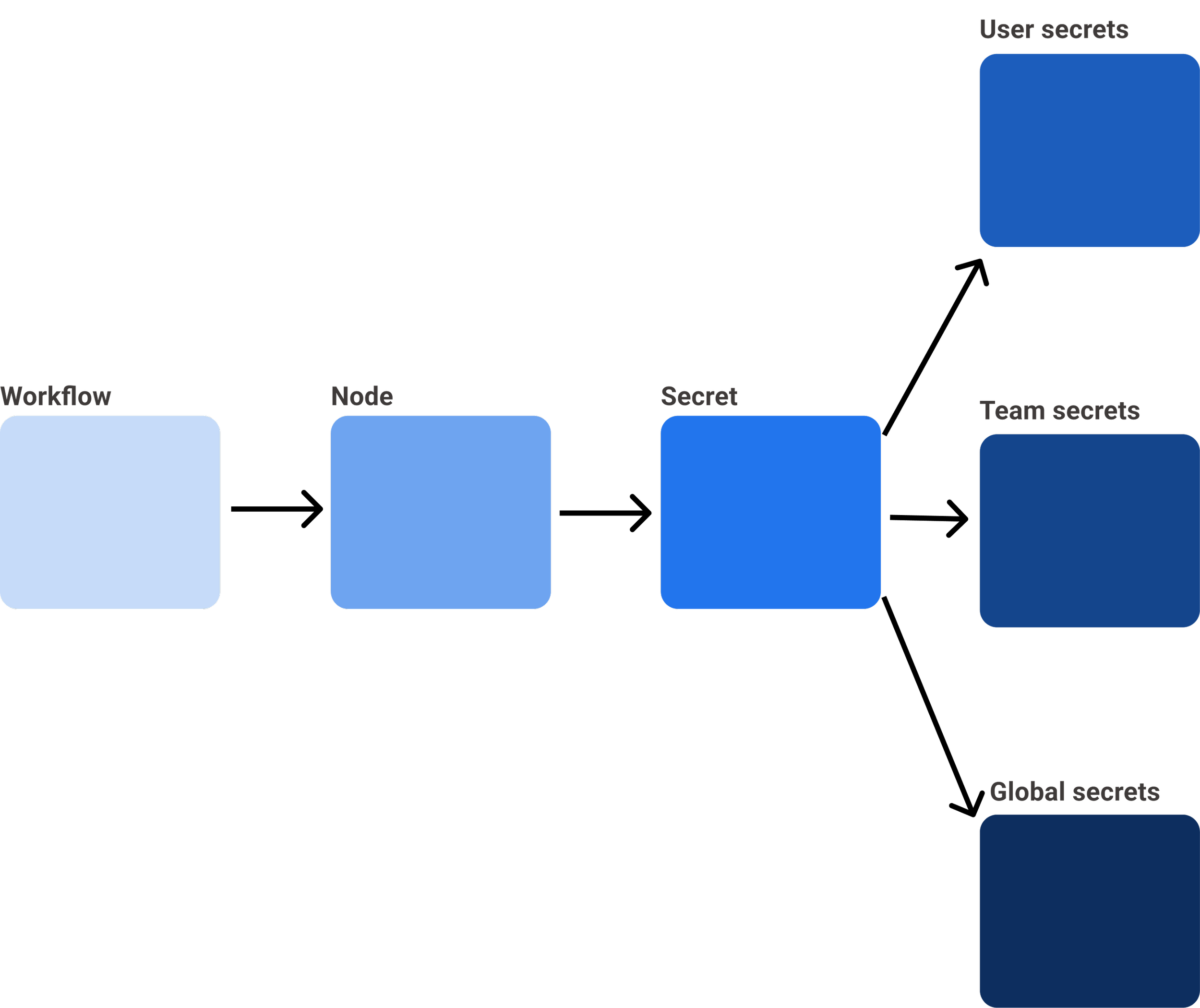
KNIME Secrets have to function in parallel on KNIME Hub and KNIME Analytics. It was established that on KNIME Hub the user could manage the secrets, and on KNIME Analytics add them and connect them to the workflows.


Consistency
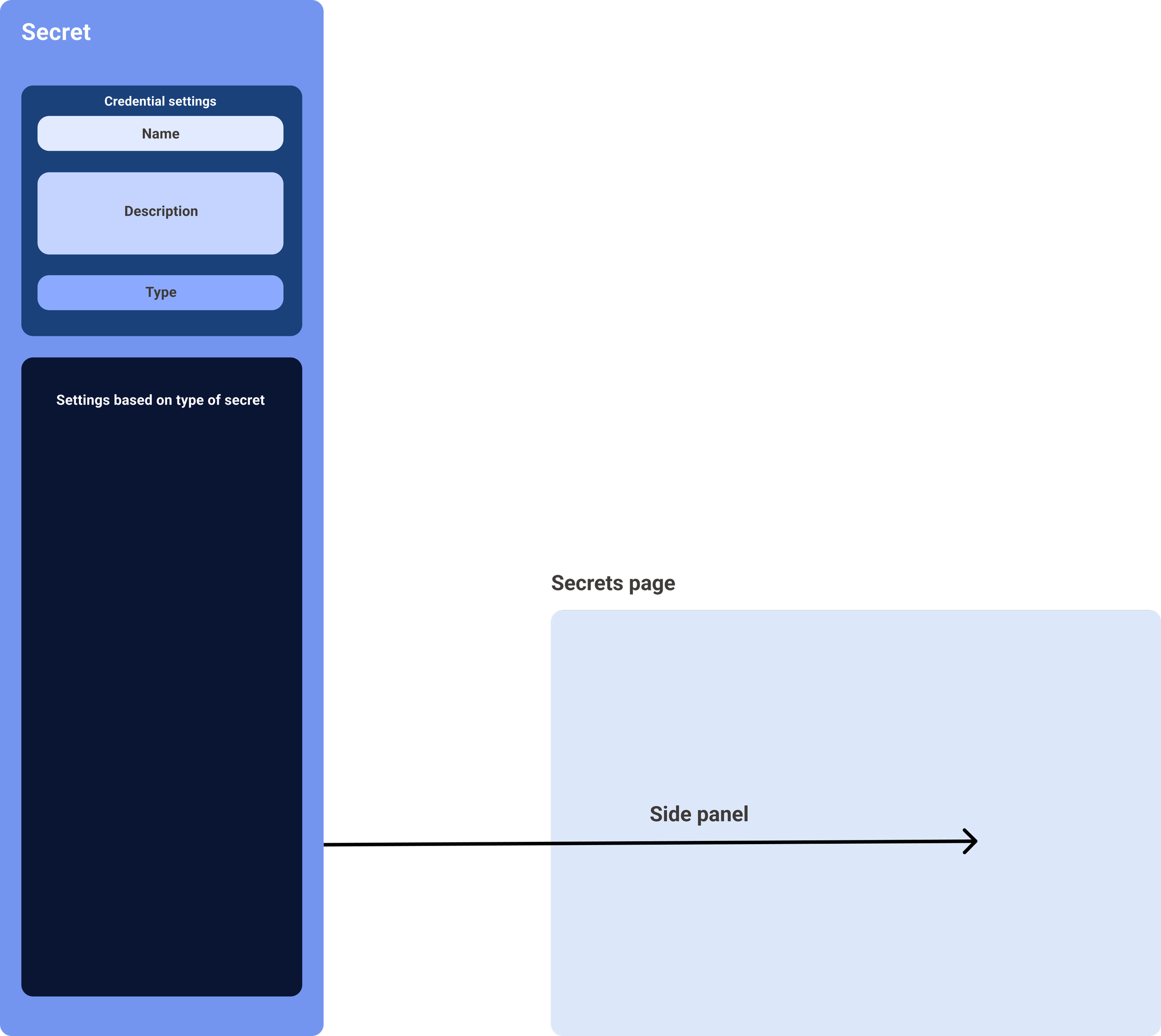
Within KNIME Hub we established as part of our structure to keep each page with a frame including the main and secondary navigation, a main body with the main contents of the page and the use of side panels for all actions of creation and management. Therefore, this structure remained when designing Secrets, keeping the flow consistent for the users.
WIREFRAMING, PROTOTYPING & TESTING
Once the technical constraints were established I proceeded to wireframe the designs and create prototypes. We tested our designs with early users, power users, internal data scientists and devs.
Here are some example of the tests we conducted.


PROTOTYPING RESULTS
What we gathered from our testing was the need for a structure simplified to the maximum, a clear hierarchy and difference between the roles, an simple selection of the type of secret and a separate panel for secrets that required additional technical settings or external connections.
FINAL STRUCTURE & IMPLEMENTATION
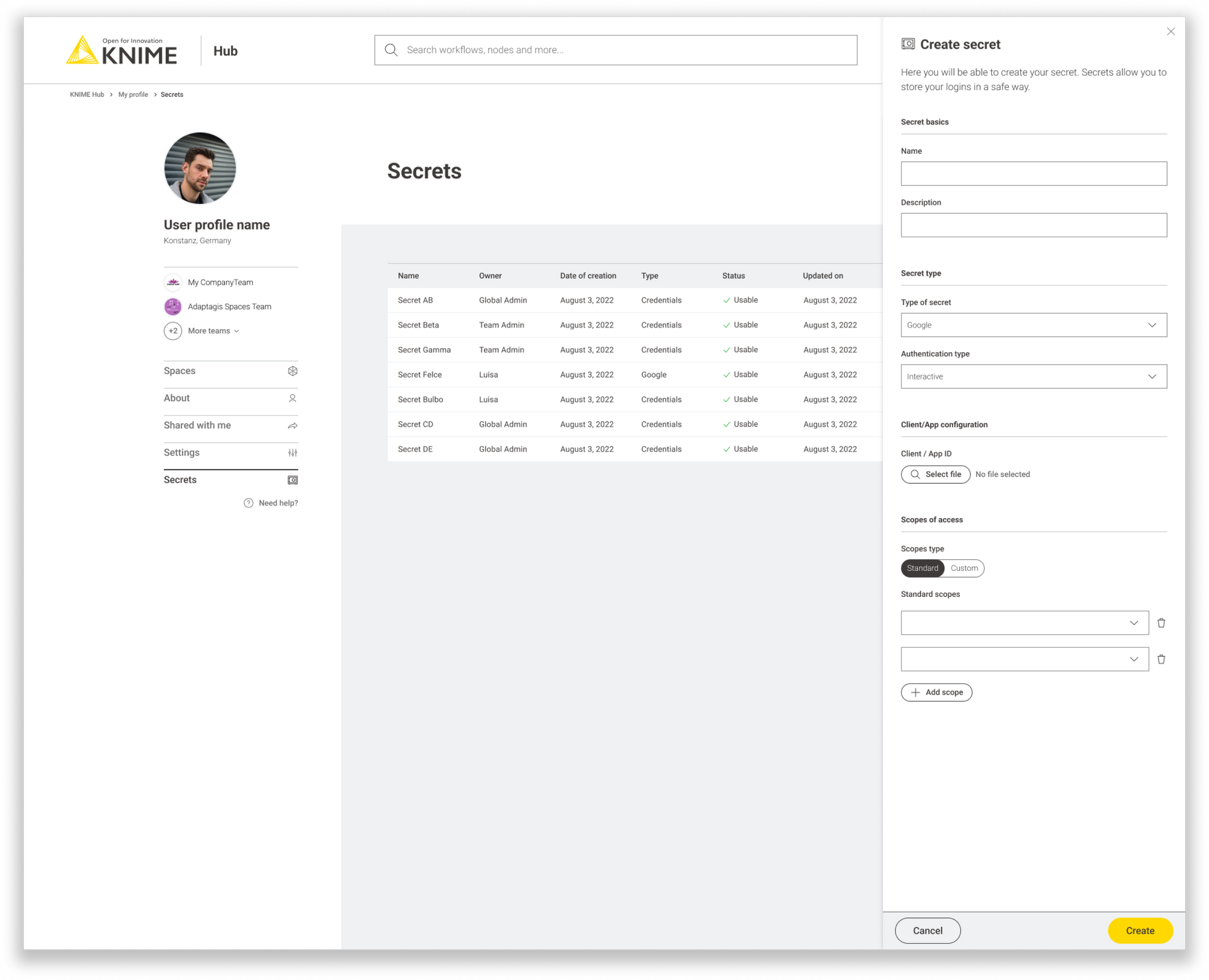
We established that there needed to be 3 levels of Secrets: Global, Team and Individual.
Each level has a dashboard with an overview of the Secrets and their status and details, and each one of the Secrets can be opened on the side panel.
This structure allows for a quick overview of Secrets in use, their sharing level, and their activity status. This also allows to manage them quickly without requiring extra steps besides the setup.
We determined 9 types of Secrets, each one with a different level of complexity and some linked to external providers. This to allow users to use pre existing and trusted external providers as well as establishing their levels of safety inside KNIME.
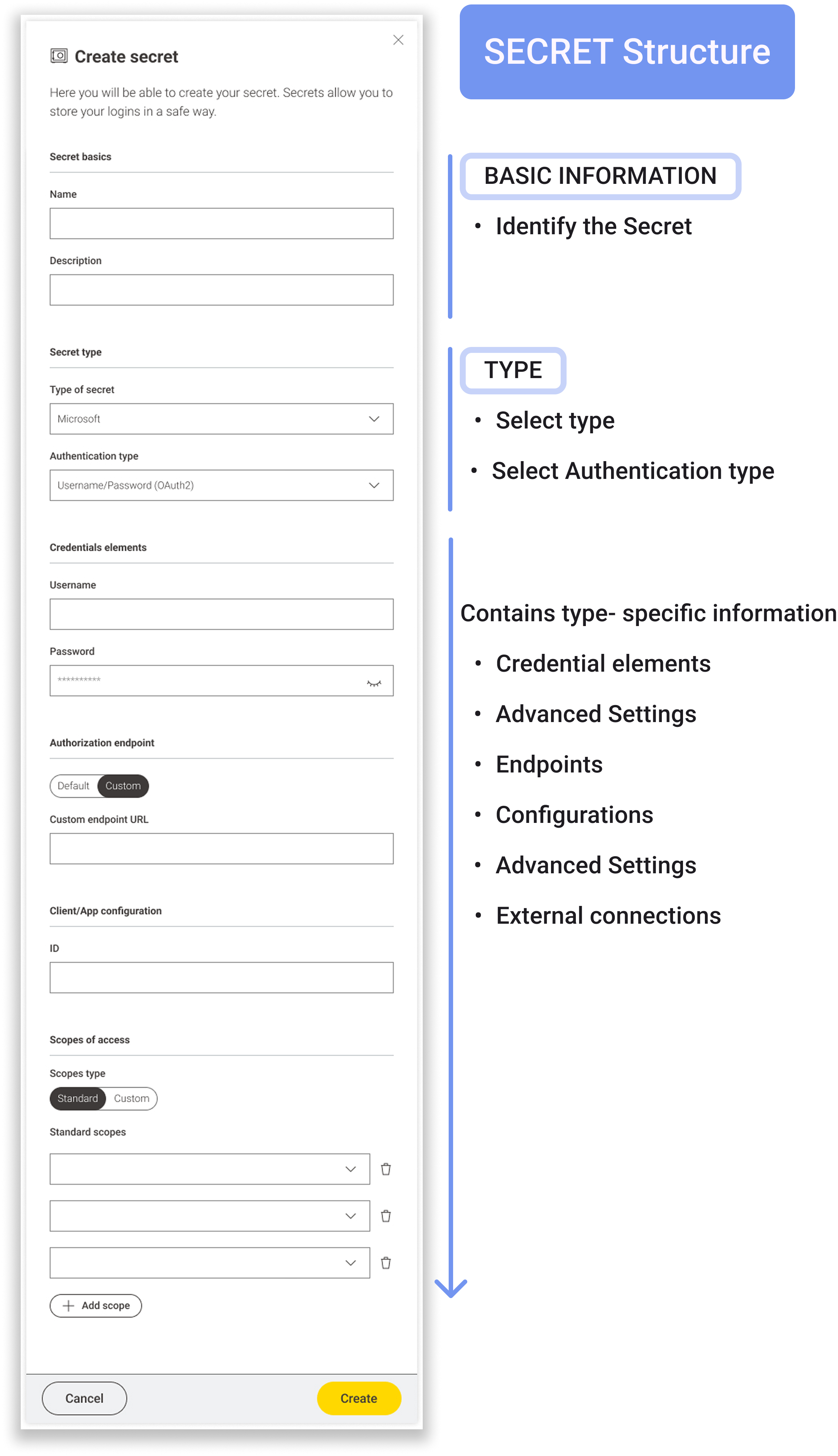
Structure
The structure of the Secrets is meant to help and guide the user within the creation and editing of the many components of the secret itself.
The structure starts with basic elements that are common for all Secrets, but then builds us with the type- specific components.
THREE DIFFERENT TYPES OF SECRETS


Secret pages on KNIME Hub
On KNIME Hub is where the Secrets can be created, edited, stored and are visualised in their specific page.
The Secrets page allows for a quick overview of not only whet are the secrets each user has created, but also of all the Secrets shared with them, what secrets are active, which ones require to log in and which ones have been made inactive.
Users when creating a Secret have the possibility to share them directly with other users, and edit permissions through time. When a Secret is shared with a user – for example within a Team – the user will be able to use the Secret and see it, but won’t be able to modify it since that’s only possible for the Secret creator and Admins.


ENSURING A SMOOTH IMPLEMENTATION
Provided comprehensive design assets and documentation to dev teams, streamlining the development process and ensuring clarity.
Implemented Figma structure accessible to devs of all levels, stakeholders and other members of the design team, to ensure the data and designs were clear across all departments
Led presentations and knowledge-sharing sessions, empowering teams to work independently while maintaining design consistency.truct
Deep Dive into the Process
Working on KNIME Secrets meant being deeply involved from the very beginning. This included actively participating in backend and architecture discussions, not from a technical standpoint, but from a product perspective.
These conversations were essential for gaining a clear understanding of technical constraints and future implementation possibilities.
This collaboration was a two-way exchange:
✔ It enabled me to design assets that were fully aligned with technical requirements from the outset.
✔ It helped the backend team better understand design constraints, fostering a more user-centered approach to development.
By bridging the gap between technical feasibility and user experience, I ensured that KNIME Secrets was not only secure and robust but also intuitive and accessible.
Structure & Clarity
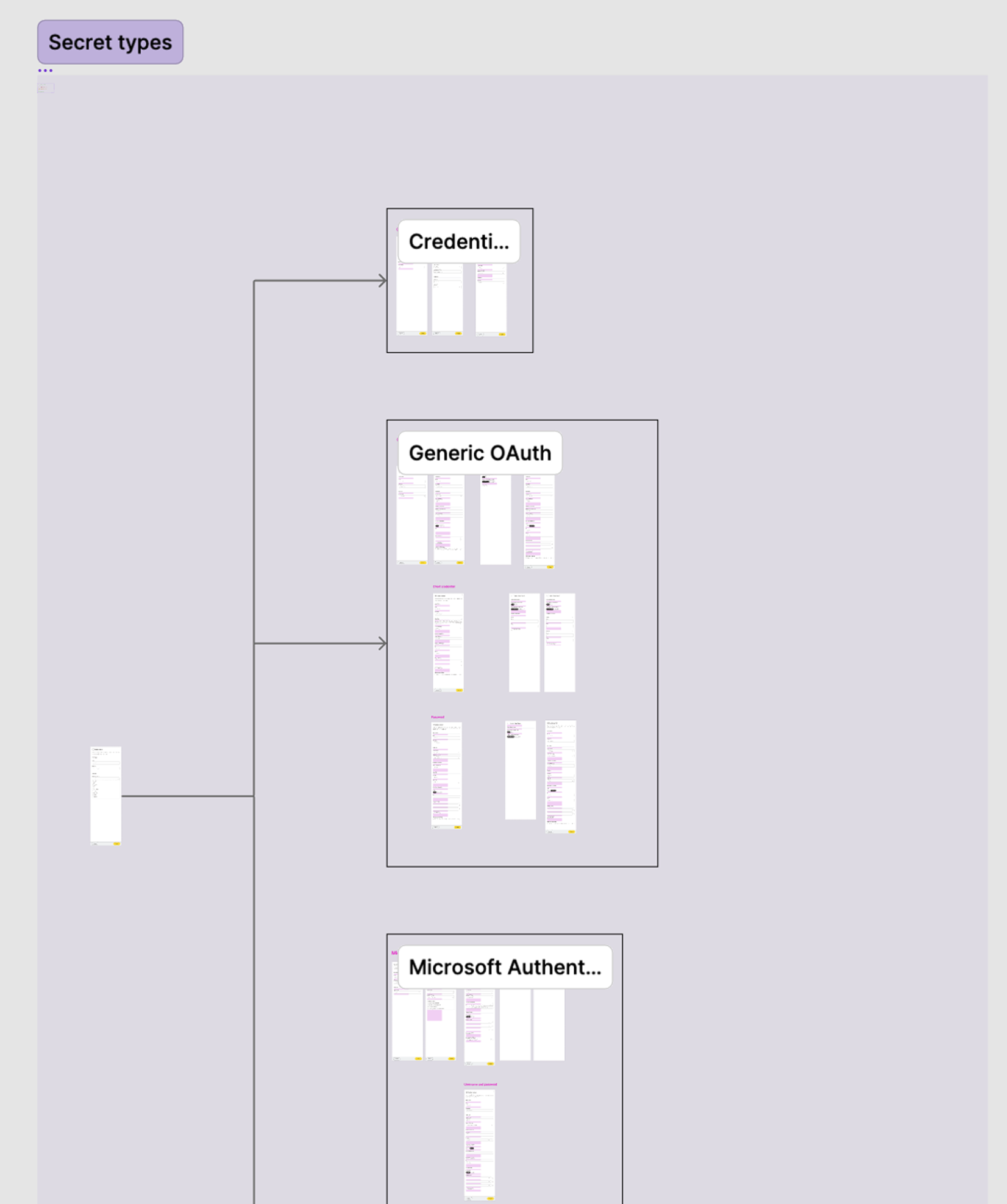
As the sole designer responsible for implementing KNIME Secrets, I took the initiative to establish a clear and organized system for our Figma files. I structured them into distinct sections, each dedicated to a specific aspect of the project—Secrets pages, Secret types, archive, and more.
This approach ensured:
✔ Clarity in presentations for product owners and developers.
✔ A seamless handover, enabling developers to work independently with minimal friction.
✔ A well-documented, scalable system, maintaining consistency between designs, discussions, and documentation from day one.
By prioritizing structure and accessibility, I helped create a streamlined workflow that enhanced collaboration and efficiency across teams.
CONCLUSION
Created a complex security system with user-friendly interface and user experience.
Increased adoption rates by making data protection more accessible and intuitive.
Streamlined collaboration between design and development, improving efficiency for future updates.
By combining user research, iterative design, and cross-team collaboration, I helped KNIME Secrets evolve into a powerful yet approachable security feature, ensuring that users can protect their workflows with confidence.
Beyond design, I also played a key coordination role between frontend and backend teams, ensuring smooth execution by aligning technical constraints with UX goals. Additionally, I introduced a structured Figma documentation system to enhance collaboration and streamline future iterations of the project.